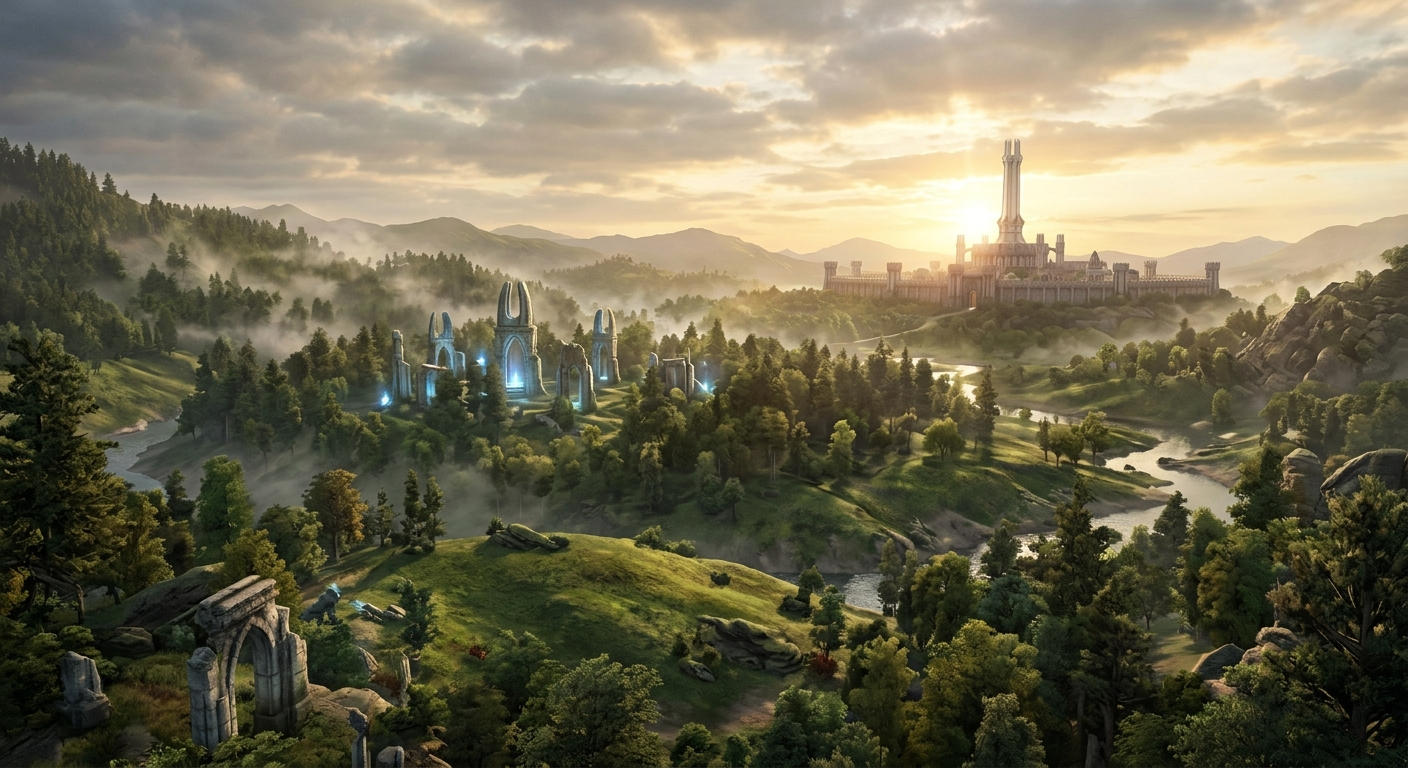

Few games have the staying power of The Elder Scrolls IV: Oblivion. Released originally in 2006, it remains a shining beacon of open-world RPG design. But let’s be real: time hasn’t been entirely kind to the sprawling lands of Cyrodiil. The graphics look dated, the mechanics can feel clunky, and bugs occasionally rear their heads, but don’t worry, because the modding community is here to breathe new life into this classic. In this Oblivion mods guide, we’ll walk you through transforming your game with mods to make it look, feel, and play like a modern masterpiece. Whether you’re a seasoned adventurer or a newcomer adjusting to the game’s quirks, this article will help you unlock Oblivion’s full potential with stunning visuals, gameplay tweaks, and exciting new content. Let’s gear up and dive in!
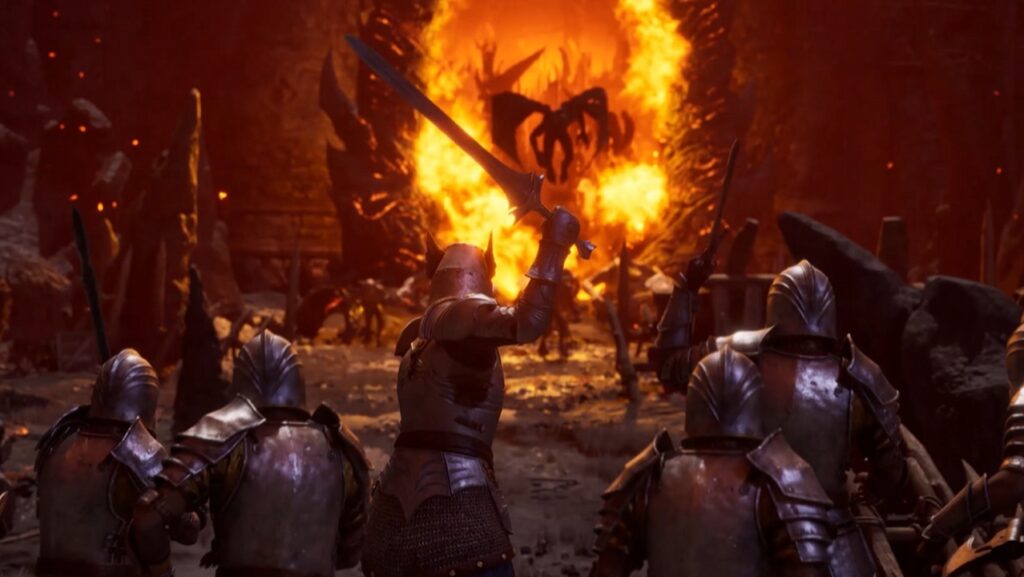
- Oblivion is a massive open-world fantasy RPG where you must close hellish Oblivion gates.
Oblivion Mods Guide: Why Mod Oblivion?
Modding Oblivion doesn’t just add a few tweaks; it can completely overhaul your experience. Bethesda’s original release admittedly has its rough edges, and mods provide solutions to those problems while introducing enhancements that keep the game fresh and exciting.
Take graphics, for instance. Oblivion’s visuals were jaw-dropping in their day, but looking at the pixelated textures now might make you nostalgic in all the wrong ways. Mods can modernize the landscape, making Cyrodiil’s forests lush, its cities lively, and its characters far less uncanny. Beyond aesthetics, mods allow us to fix countless bugs, streamline cumbersome mechanics (like inventory management!), and even expand the game with fan-created quests and content.
Whether you’re dreaming of better combat or just want a prettier sunset over the Imperial City, modding is where Oblivion truly shines.
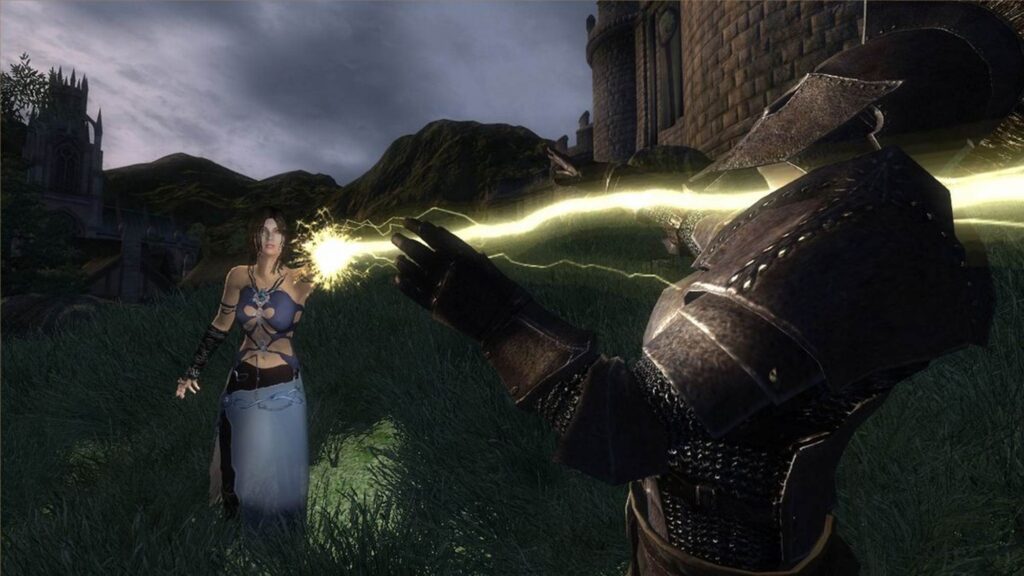
- Mods for Oblivion enhance graphics, add new quests, fix bugs, and overhaul gameplay mechanics
Elder Scrolls Oblivion Mods Guide: How to Get Started
Before we can dive into the best mods for Oblivion, as outlined in our Oblivion mods guide, we need to talk about how to install them. If you’re new to modding, don’t worry; it’s easier than it looks. Just follow these steps to prepare your game for a whole new adventure.
Step 1: Download Modding Tools
The foundation of a smooth modding experience lies in a few key tools:
– Nexus Mods: This is your go-to platform for almost every Oblivion mod available. Create a free account here to download mods easily.
– Oblivion Mod Manager (OBMM): This tool is essential for installing and managing mods. It keeps everything organized and simplifies activation.
– Wrye Bash: If you plan to use multiple mods, Wrye Bash helps resolve conflicts between mods and lets you create bashed patches for smooth compatibility.
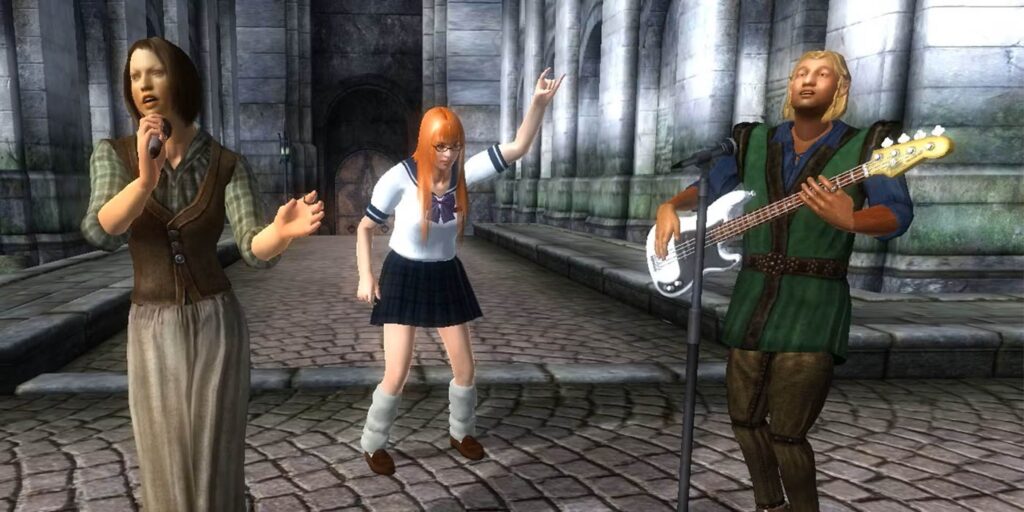
- Many Oblivion mods focus on visual upgrades, adding high-resolution textures, realistic lighting, and updated character models.
Step 2: Install Mods
1. Download your chosen mods from Nexus Mods. Make sure to read the mod descriptions carefully; some mods require other tools like Oblivion Script Extender (OBSE) to function.
2. Use OBMM to load and activate mods by dragging them into the manager’s list.
3. Prioritize your mod load order. Mods added later may overwrite conflicting files from earlier ones. Tools like LOOT can help automate this process.
4. Before playing, launch Wrye Bash to create a “bashed patch,” ensuring everything works harmoniously.
Step 3: Troubleshooting Tips
Mods can occasionally cause crashes to the desktop (CTDs) or strange bugs. If you encounter issues:
– Disable mods one by one to identify the culprit.
– Check the Nexus Mods comments section for conflict solutions or updates.
– Verify you’re running OBSE, as many complex mods depend on it.
With your game mod-ready, let’s explore Oblivion’s best mods in various categories with our Oblivion mods guide.
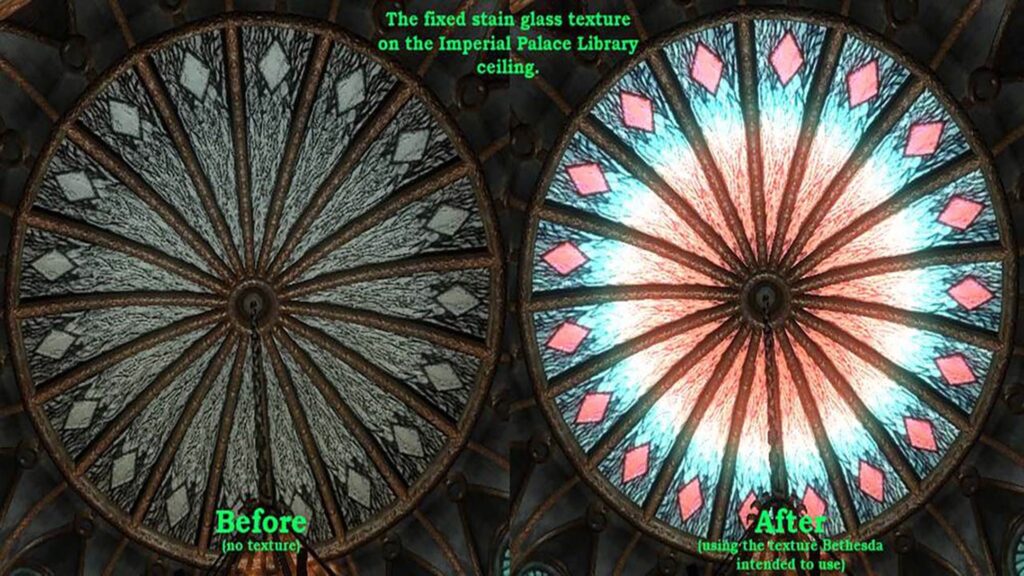
- Alive Waters adds fish, water sounds, and aquatic life to rivers and lakes.
Essential Mods for a Better Oblivion
To start off, some mods aren’t just “nice-to-have,” they’re downright mandatory. These essential mods fix the game’s foundational issues while improving its technical performance and overall experience.
1. The Unofficial Oblivion Patch
Bethesda might have made a masterpiece, but it wasn’t without its flaws. This mod fixes hundreds of bugs that were left unpatched by the developers, including quest issues, broken NPCs, and graphical glitches.
✔ Why You Need It: Don’t let a buggy questline ruin your immersion; UOP has your back.
2. Oblivion Script Extender (OBSE)
Many advanced mods require OBSE to function. Think of it as the backbone that enables deeper gameplay tweaks and performance improvements.
✔ Why You Need It: Without OBSE, mods like “Enhanced Camera” won’t work, cutting down your options dramatically.
3. Fast Exit
Ever had your game freeze when closing it? Fast Exit prevents those frustrating crashes, letting you leave Cyrodiil in peace.
✔ Why You Need It: No more Ctrl-Alt-Delete forced shutdowns!
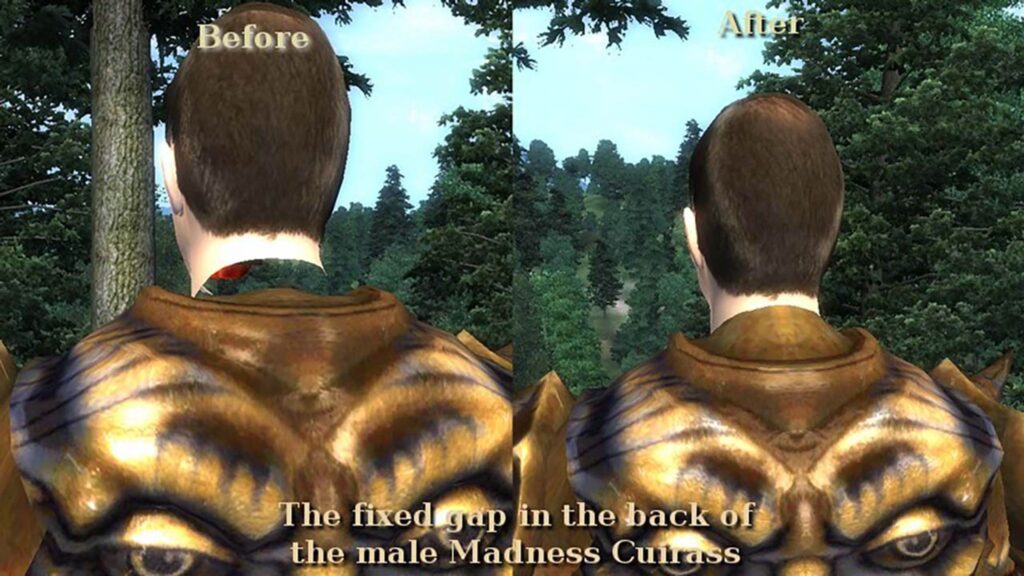
- Better Cities adds visual variety, clutter, and architectural detail to towns.
Graphics Mods: Revitalizing Cyrodiil
If improving Oblivion’s visuals ranks high on your wishlist, you’re not alone. We all want Cyrodiil to look as breathtaking as the adventures we embark on.
1. Qarls Texture Pack III
As highlighted in many Oblivion mods guides, this mod provides high-resolution textures to overhaul the game’s environment. Grasslands become detailed, rock textures gain depth, and every tavern feels lived-in with crisp visuals.
✔ Why You’ll Love It: It replaces Oblivion’s blurry textures with a sharper, modern aesthetic without sacrificing performance.
2. Oblivion Reloaded
This powerhouse mod doesn’t just make things prettier; it introduces dynamic lighting, weather effects, and enhanced shaders. Get ready to experience sunsets like never before!
✔ Why You’ll Love It: Less of an add-on, more of a reimagining.
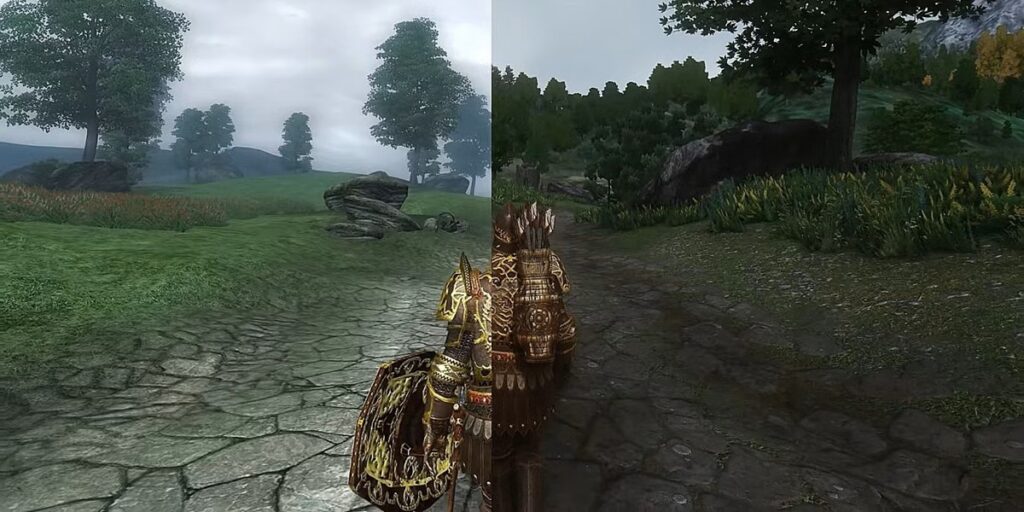
- Natural Environments improve weather, water, and vegetation for a more atmospheric and realistic world.
3. Improved Facial Textures
Oblivion’s NPCs often feel like wax dolls come to life. This mod makes their faces more natural and improves character models across the board.
Gameplay Overhaul Mods
Sometimes, we wish Oblivion’s mechanics had aged a little better. Thankfully, gameplay overhaul mods are here to fix that.
1. Deadly Reflex
Combat in Oblivion is far from perfect, but this mod introduces exciting mechanics like dodge maneuvers, blocking fixes, and cinematic kill animations.
.
✔ Why You’ll Love It: Combat goes from “clunky” to heart-pounding, especially when you pull off a well-timed parry or finishing move.
2. Oscuro’s Oblivion Overhaul (OOO)
As any seasoned follower of an Oblivion mods guide will tell you, OOO is a complete game rebalance mod that transforms Oblivion into a more challenging and immersive experience. It revamps loot scaling, enemy AI, and dungeon difficulty to make the world feel alive and unpredictable.
✔ Why You’ll Love It: Say goodbye to fighting bandits wearing heavy Daedric armor at low levels. Instead, enemies become tougher and smarter based on the lore (and your level won’t decide their entire existence!).
3. Supreme Magicka
Magic in vanilla Oblivion feels… well, underwhelming at times. Supreme Magicka enhances spell variety, rebalances the magic system, and introduces custom spell effects to make mages a force to reckon with.
✔ Why You’ll Love It: Imagine hurling spells so dramatic and devastating that they belong in an epic fantasy movie.
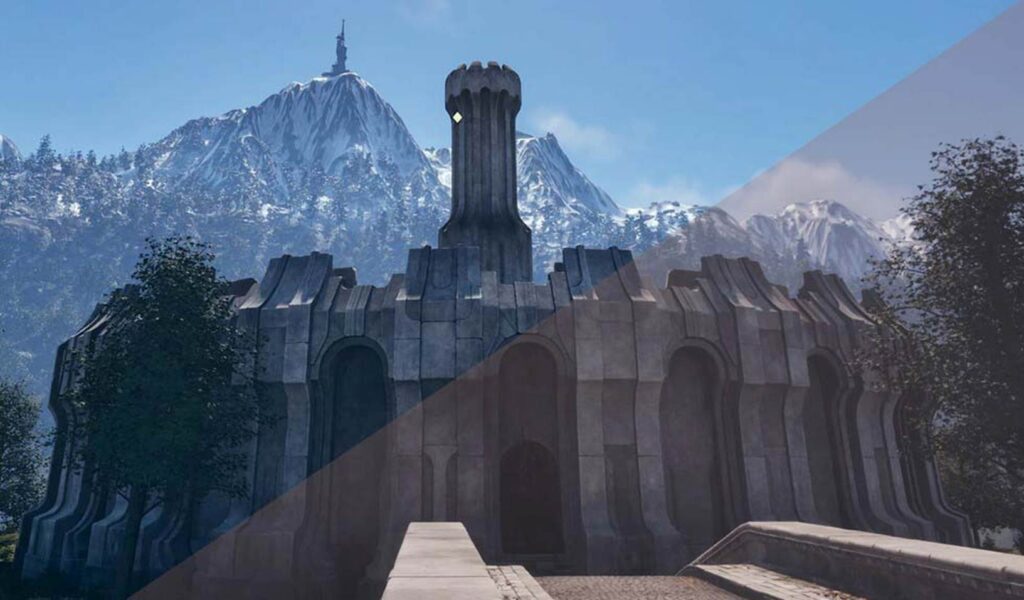
- Better Night Sky replaces the vanilla night sky with a high-res star.
4. Alternate Start by Arthmoor
Sometimes, starting as “the prisoner” gets boring. With this mod, you can choose who your character was before winding up in Cyrodiil. A simple farmer who woke up in the capital? A lone traveler hiding in the wilderness? You decide.
✔ Why You’ll Love It: More immersive origin stories = more replayability!
New Quest & Content Mods
If you’ve already exhausted Oblivion’s 100+ hours of content, don’t worry; as any comprehensive Oblivion mods guide will attest, modders have got your back. From entirely new quests to additional factions, you’ll never run out of things to do.
1. The Lost Spires
This is one of the most popular Oblivion quest mods for good reason. It introduces a new archeological guild, tons of professionally written lore, and unique dungeons, all seamlessly integrated into the base game.
✔ Why You’ll Love It: Think Indiana Jones but in Cyrodiil, with epic loot and mysteries to uncover.
2. Knights of the Nine: Revelation
While Bethesda’s Knights of the Nine DLC is solid on its own, this mod expands the story with a sequel worthy of its divine roots. Packed with voice acting, new lands, and challenging puzzles, it’s an absolute must-play.
✔ Why You’ll Love It: It feels like an official expansion, but with the creative flair of dedicated fans.
3. Nehrim: At Fate’s Edge
Okay, this one isn’t a mod; it’s a total conversion. Nehrim completely replaces Oblivion’s world, introducing a new setting, story, and characters. Imagine an entirely new RPG powered by Oblivion’s engine.
✔ Why You’ll Love It: A fresh game without buying a new one!
Final Thoughts
Modding Oblivion isn’t just about improving graphics or tweaking mechanics; it’s about creating a world that feels personal to you. Maybe you’ve always wanted to roleplay a sneaky thief who hides in beautiful, overgrown forests. Or maybe you’ve dreamt of creating a mage whose spells light up the skies. With the right mods, Oblivion becomes a canvas for endless adventure. We hope this Oblivion mods guide has inspired you to dive into modding and rediscover Cyrodiil in ways you never thought possible. And hey, if you get stuck or need recommendations, don’t hesitate to reach out; I’ve got my own Wrye Bash ready to help! Now go, hero of Cyrodiil. The gates of Oblivion (and Nexus Mods) await you; happy modding!
Frequently Asked Questions
1. Can I still play Oblivion without mods?
Absolutely! While mods enhance the game dramatically, the vanilla experience remains enjoyable, especially if it’s your first time exploring Cyrodiil.
2. Will adding mods break my game?
Not if you follow best practices! Make sure to read every mod description, check dependencies (like OBSE), and use tools like Wrye Bash for compatibility. If something breaks, troubleshooting is straightforward with a little patience.
3. How many mods can I install?
This depends on your PC’s specs and load order. Most players can successfully run dozens of mods at once, especially if they prioritize performance mods in the mix.
4. Are these mods free?
Yes! Every mod mentioned here is free to download, thanks to the dedication of Oblivion’s modding community. If you enjoy a particular creator’s work, consider donating as a thank-you for keeping a 2006 game thriving in 2025!
Infography content:
Oblivion Mods Guide
Transform Your Adventure in Cyrodiil!
Why Should You Mod Oblivion?
Modding The Elder Scrolls IV: Oblivion unlocks endless possibilities:
– Improve Graphics: Bring lush forests, lively cities, and modern textures to Cyrodiil.
– Fix Bugs: Essential patches fix glitches and broken quests.
– Enhance Gameplay: Add new mechanics, quests, and endless replayability.
Make Oblivion feel like a modern masterpiece—better visuals, smoother combat, and deeper immersion await!
Getting Started with Mods
Step 1: Essential Tools
– Nexus Mods: Download Oblivion mods directly.
– Oblivion Mod Manager (OBMM): Install and organize mods easily.
– Wrye Bash: Solve conflicts and ensure compatibility between mods.
Step 2: Install Mods
– Download mods and read descriptions carefully (some require OBSE).
– Use OBMM to activate mods and adjust load orders with tools like LOOT.
– Create a “bashed patch” with Wrye Bash for smooth gameplay.
Essential Mods to Start With
1. Unofficial Oblivion Patch – Fixes hundreds of bugs and quest issues.
2. Oblivion Script Extender (OBSE) – Powers complex mods for better features.
3. Qarls Texture Pack III – Higher-resolution landscapes for modern graphics.
Recommended Gameplay Mods
1. Deadly Reflex: Revamped combat mechanics with dodges and kill animations.
2. Oscuro’s Oblivion Overhaul: Challenging AI and immersive loot scaling.
3. Supreme Magicka: Revitalized spell system for epic mage gameplay.