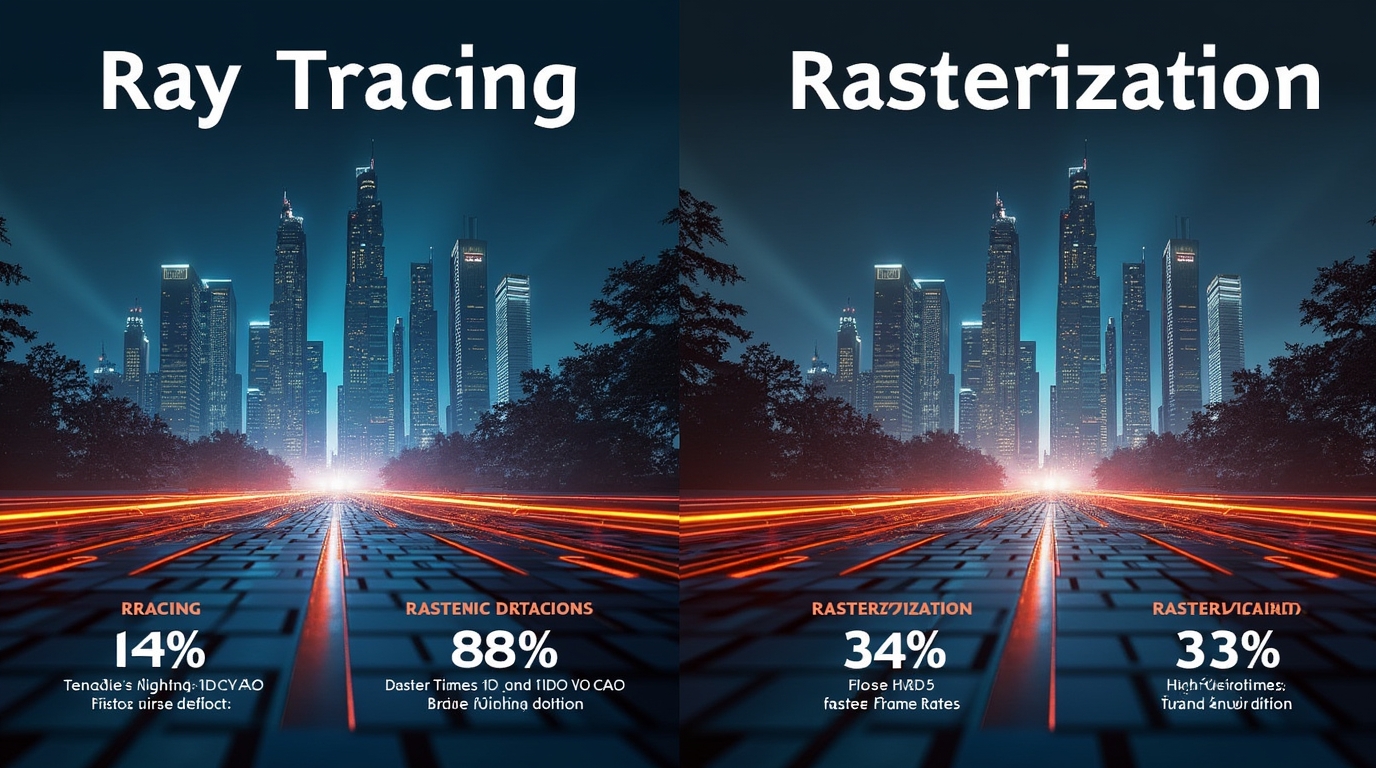

Sometimes we get swept up in conversations about games that look so good, you almost forget you’re staring at a screen. Other times, it’s all about that buttery-smooth frame rate, especially when victory hangs by a millisecond. If you’ve ever wondered what magic (or madness) makes those gorgeous reflections, glowing neon lights, or dramatic shadows pop off the screen, you’re not alone; we’ve been right there, pausing our game just to gawk at shimmering puddles. The heart of all this? The ancient struggle: a comparison of ray tracing and rasterized rendering. Let’s settle in and explore what really separates these two titans of game graphics. We’ll break down both sides, share stories from real games, and help you decide what matters for your play style. No tech degree required; just honest curiosity and maybe a little nostalgia for how far graphics have come.
1. Comparison of Ray Tracing and Rasterized Rendering: Explaining the Divide
Most of us have heard the buzz about ray tracing, but what really sets it apart from the classic ways games have shown us fantastical worlds? In this section, we’ll untangle the basics of each approach and see why those tiny choices can make all the difference in what we actually see and feel during our favorite games.
2. Understanding the Basics: What is Rasterized Rendering?
Long before the word “RTX” meant anything outside of model numbers, rasterized rendering ruled the gaming world. In simplest terms? Rasterization is the “old school” method, and we’ve relied on it for decades. Imagine it as an artist taking a 3D scene and “projecting” it onto a canvas (your screen), figuring out which pixels should be colored and which can be ignored, line by line, polygon by polygon.
Games like Doom (2016), The Witcher 3, and Overwatch look absolutely stellar using just rasterization, proving this technique’s strengths. What makes it so dominant? Speed and efficiency. Rasterization can quickly convert all those 3D models into vivid 2D images, letting our computers keep up with frantic in-game action without breaking a sweat. It’s flexible, too: developers have spent years inventing clever ways to fake things like reflections and shadows. In any comparison of ray tracing and rasterization, this method wins big on performance, even if it sacrifices a bit of realism. It might not always be perfect, but it sure gets the job done for most players and most hardware.
3. What is Ray Tracing? The Next Leap in Visual Realism
In contrast, ray tracing aims for something bolder: it tries to simulate the real behavior of light. Rather than drawing everything on the surface, it follows millions of imaginary “rays” as they bounce, reflect, and refract through a digital world. That’s how, in games like Cyberpunk 2077 or Control, you’ll notice jaw-dropping reflections in shop windows, perfect puddle lighting, or shadows that shift and soften in spectacularly convincing ways.
The catch? All those calculations are heavy; every ray must know where it’s going, what it touches, and how it changes. It’s like giving your PC a riddle for every single pixel, and the answer needs to be found sixty times a second! Our first attempts at real-time ray tracing were reserved for big-budget graphics workstations, but now, consumer GPUs have finally gotten strong enough to bring this dream to our home setups.
4. Key Differences: Ray Tracing vs. Rasterization
Trying to make sense of the “comparison of ray tracing and rasterized rendering capabilities” means lining up the facts. Let’s break it down and look at both sides, with some shoutouts to familiar titles:
1. Visual Fidelity and Realism:
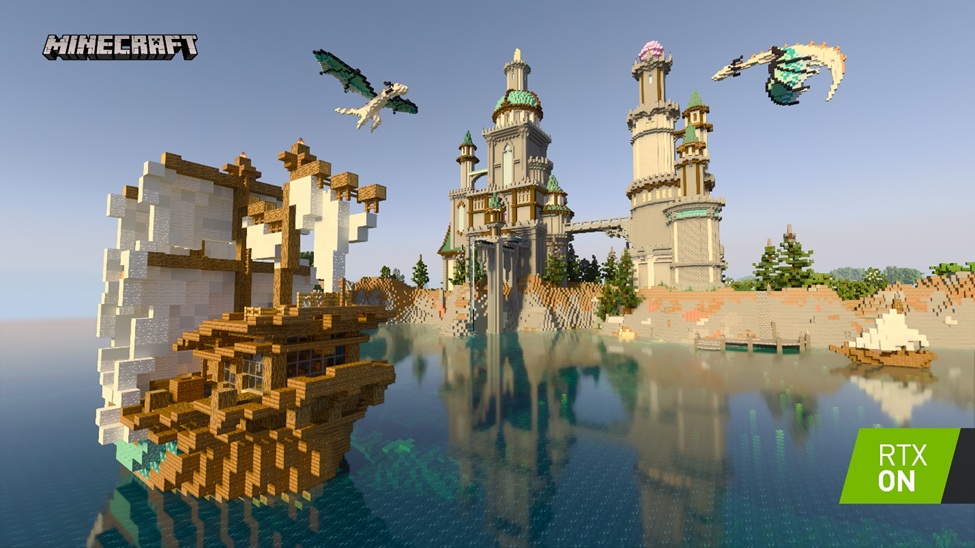
– Ray tracing shines in scenes with lots of mirrors, glass, water, or moody lighting (Cyberpunk 2077, Minecraft RTX).
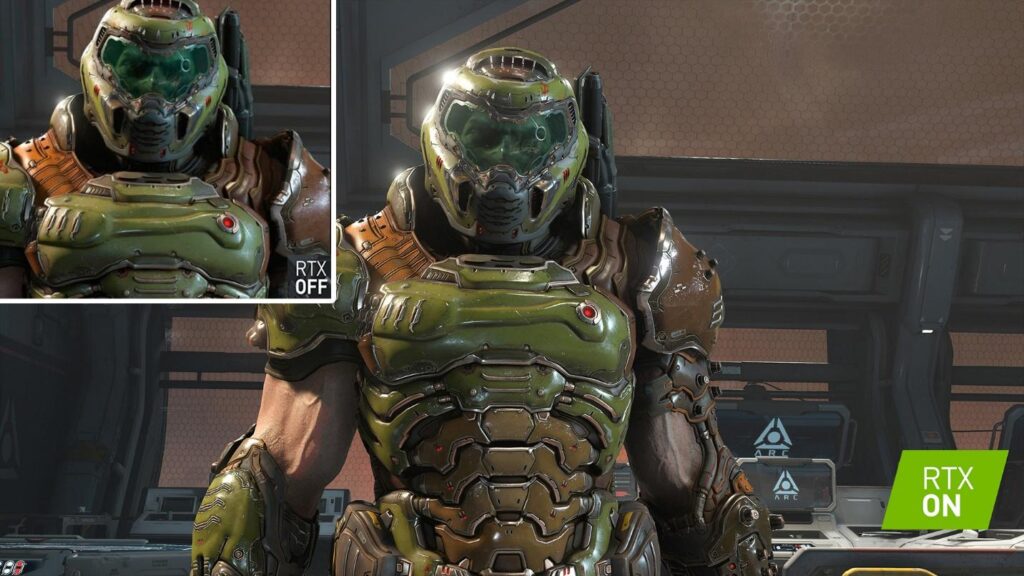
– Rasterization often “fakes” these effects but can still look fantastic; think DOOM Eternal or Sekiro: Shadows Die Twice.
2. Performance (FPS Impact, Hardware Needs):
– Ray tracing demands beefy GPUs (Nvidia RTX, AMD RX 6000+), usually with support from upscaling tech (DLSS/FSR) to keep frame rates up.
– Rasterization runs well on almost any recent graphics card.
3. Supported Effects:
– Ray tracing does authentic reflections, global illumination, and contact shadows.
– Rasterization can simulate these with tricks; sometimes good enough, sometimes not.
4. Compatibility/Availability:
– Most modern games offer both; a few (like Quake II RTX) go all in on ray tracing, but most players pick what looks and runs best on their system.
Whenever we load up a new AAA game, chances are it’s combining both methods for the best mix of visual sparkle and smooth action.
5. Which Looks Better? Visual Differences in Real Games
It’s one thing to read about tech, but another to see it in practice. We remember the first time we fired up Minecraft RTX and actually saw our handcrafted towers reflected perfectly on an underground river; it was like discovering a new game entirely. Moments like that turn a comparison of ray tracing and traditional rendering from theory into something you can feel and see in real time.
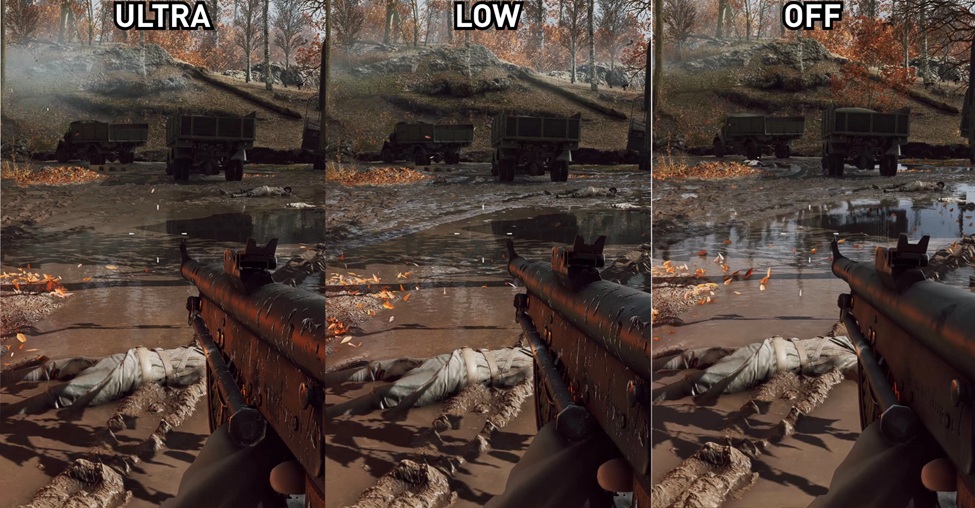
Let’s look at a few real examples:
Some games don’t just showcase graphics; they become benchmarks for them. Whether you’re walking through neon-lit alleyways or catching your reflection in a car window, these titles show what modern rendering can really do.
1. Cyberpunk 2077:
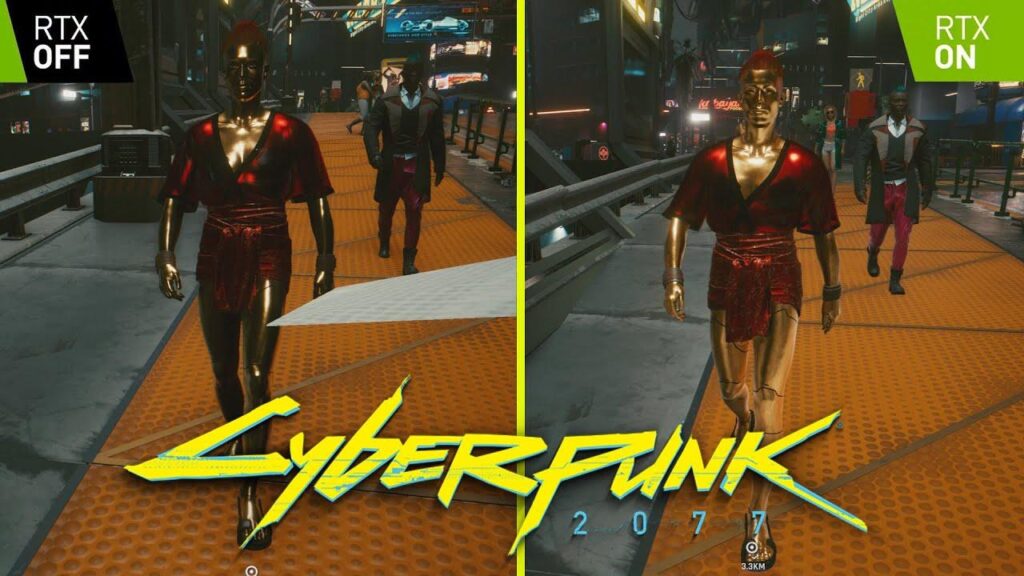
– With ray tracing ON, puddles and neon signs reflect everything around them; cars, characters, even gunfire, from every angle. Turn RT OFF, and you’ll find more static, simplified reflections, sometimes just a flat texture.
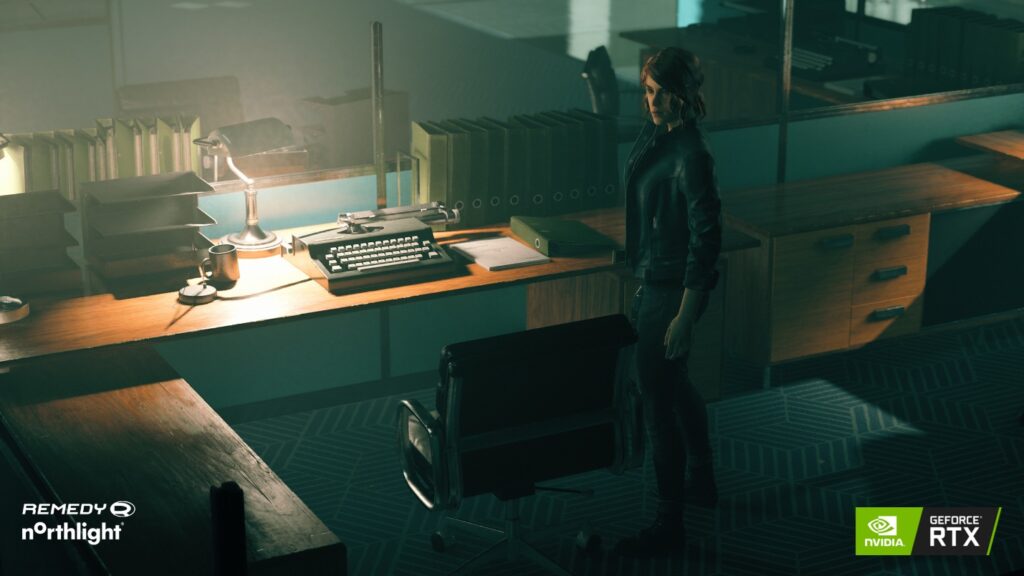
2. Control:
– Ray tracing lets glass walls reflect enemies sneaking up behind you, adding a whole new strategic layer. Without it, reflections are often missing or inaccurate (and easier on your PC).
3. Metro Exodus:
– Global illumination via ray tracing gives natural light, especially as day turns to night in tunnels or open fields; something rasterization simulates, but can’t fully match.
On the flip side, not every game needs ray tracing. Fast-paced shooters, platformers, and stylized RPGs sometimes look “right” without it, trading a bit of realism for pure responsive speed. It’s not about one being better for everyone; sometimes, the “wow” moment is simply hitting a silky-smooth 120 FPS.
6. Performance and Hardware Impacts
Anyone who’s toggled ON all those “ultra” settings knows the price: ray tracing eats up your GPU like a late-night snack. Unless you’ve got an Nvidia RTX series card (like a 3070 or higher) or one of AMD’s newer RX cards, full ray tracing will probably drag your frame rates down; sometimes way down. In any comparison of ray tracing and performance-focused rendering, this is the tradeoff: stunning visuals versus smooth, responsive gameplay.
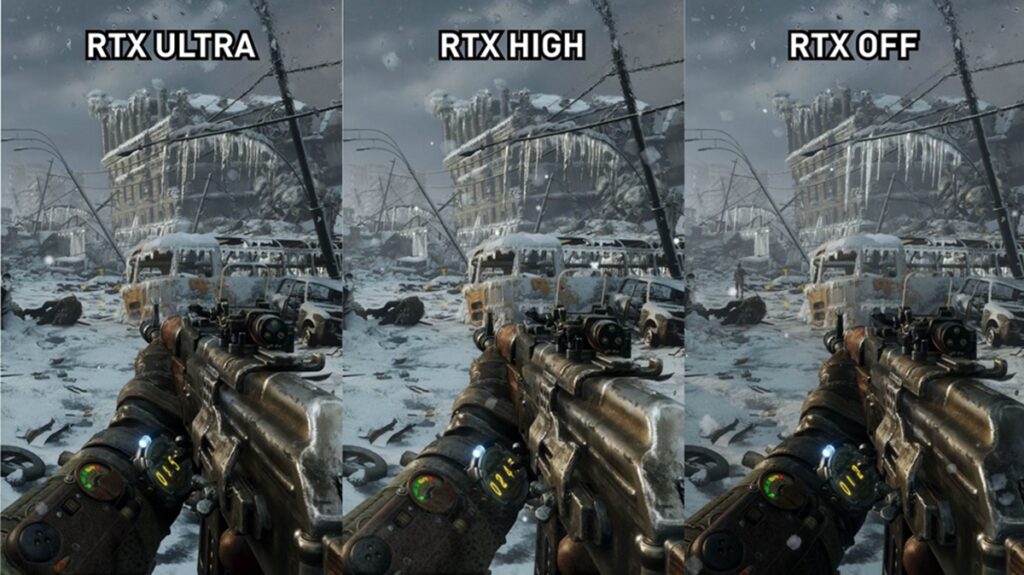
Developers know this, so they’ll pair ray tracing with smart upscaling technology: Nvidia DLSS or AMD FSR are lifesavers, letting you play at high settings without sacrificing performance. Some games even offer “hybrid” modes, using ray tracing for a few features (like shadows or reflections only), with everything else rasterized for speed.
If you’re on older hardware, rasterization keeps you playing. DOOM Eternal still looks drop-dead gorgeous on modest setups, all thanks to rasterized magic. Like so many of us, you don’t need the newest card to enjoy great games; you just need the right settings for your rig.
7. Future Trends: Is Ray Tracing the New Standard?
As graphics cards get beefier and software continues to evolve, we’ve been watching ray tracing quietly become more normal. Remember when HD graphics used to be rare? Now they’re standard. We’re probably heading in the same direction with ray tracing; even budget cards support some features, and more games are sneaking it in (either by default or as an option).
Upscaling tech, like Nvidia’s DLSS 3 and AMD’s FSR 3, means future games will run smoother with ray tracing than ever before. That said, rasterization is far from gone. It’s too reliable, well-understood, and hardware-friendly to vanish anytime soon. If anything, the future is “hybrid,” using both tools to create worlds that look (and perform) better than ever. Who knows? In a few years, we might look back at today’s graphics settings with a fond chuckle at how pixelated things used to be.
8. Finishing Thoughts: Choosing the Right Rendering Method for Your Gaming Style
In the end, it’s not really about picking a side in the comparison of ray tracing and rasterized rendering; it’s about what matters most for your play style, your genre, and your hardware. Ray tracing dazzles with natural light and reflections, but demands a beefy GPU. Rasterization lets more of us play and keeps things fast and fluid, with plenty of gorgeous results on its own. We’ll always remember our first jaw-dropping moment with ray tracing, but we’re just as grateful for the old-school cleverness of rasterized graphics. The best setup is the one that works for you, whether that’s max realism or max frames. At the end of the day, every comparison of ray tracing and rasterized rendering comes down to personal preference and play style. What about you? What makes you say “wow” in a game: the shimmer of a neon city, or the thrill of smooth, tear-free motion? Let us know, and here’s to whatever digital worlds we explore next, together!
9. FAQs: Ray Tracing vs. Rasterized Rendering; What Gamers Want to Know
Q1: What kinds of games benefit most from ray tracing?
A: Games with lots of dynamic lighting, reflective surfaces, or atmospheric visuals; think first-person shooters, open-world games, or puzzle games with glass and water; usually gain the most visual impact.
Q2: Does ray tracing affect heat or power consumption on my PC?
A: Yes, using ray tracing can make your graphics card work harder, leading to more heat and higher energy use. It’s smart to monitor temperatures during long sessions, especially in laptops or compact builds.
Q3: Can console players use ray tracing, or is it just for PC?
A: Newer consoles like PlayStation 5 and Xbox Series X support ray tracing in select games, though often at reduced settings compared to high-end PC cards.
Q4: Is there a way to “try out” ray tracing before upgrading my GPU?
A: Some games and demos offer “ray tracing preview” or limited modes, even on less powerful cards, so you can see the difference. You can also watch side-by-side comparison videos online to get a sense of what you’d gain.
Infographics:
Ray Tracing vs. Rasterized Rendering: Game Graphics Unlocked
Key Differences at a Glance
– Visuals: Ray tracing = stunning, true-to-life scenes; rasterization = stylized, responsive gameplay.
– Performance: Ray tracing eats more GPU power; rasterization is accessible on older cards.
– Game Support: Most games offer both, aiming for the right balance.
Which Is Best for You?
– Want eye-popping realism and own a high-end GPU? Try ray tracing!
– Chasing max FPS or gaming on a budget? Rasterization still rules.
– Many games blend both for the best of both worlds.
FAQs
– Does ray tracing use more energy? Yes, expect hotter GPUs!
– Can consoles do ray tracing? The newest PlayStation/Xbox supports it in select games.
– Try before upgrading? Some games let you preview ray tracing or check comparison videos online!